How to Connect an Antminer S21 to MySoloPool for Solo Mining (Step by Step)
Exact steps: find your miner IP, log into the Bitmain UI, enter MySoloPool Stratum URLs, set your BTC address as the worker name, and verify shares on the dashboard.
Goal: Point an Antminer S21 (or other Bitmain SHA-256 miner) at MySoloPool so it submits work toward a solo block while you keep the full reward if you find one. Always double-check pool URLs on mysolopool.com/getting-started before saving—operators can update ports.
What you need beforehand
- Miner powered and connected to your LAN
- Computer on the same network
- A Bitcoin address you control (payout destination)
- Optional: static IP or DHCP reservation for the miner
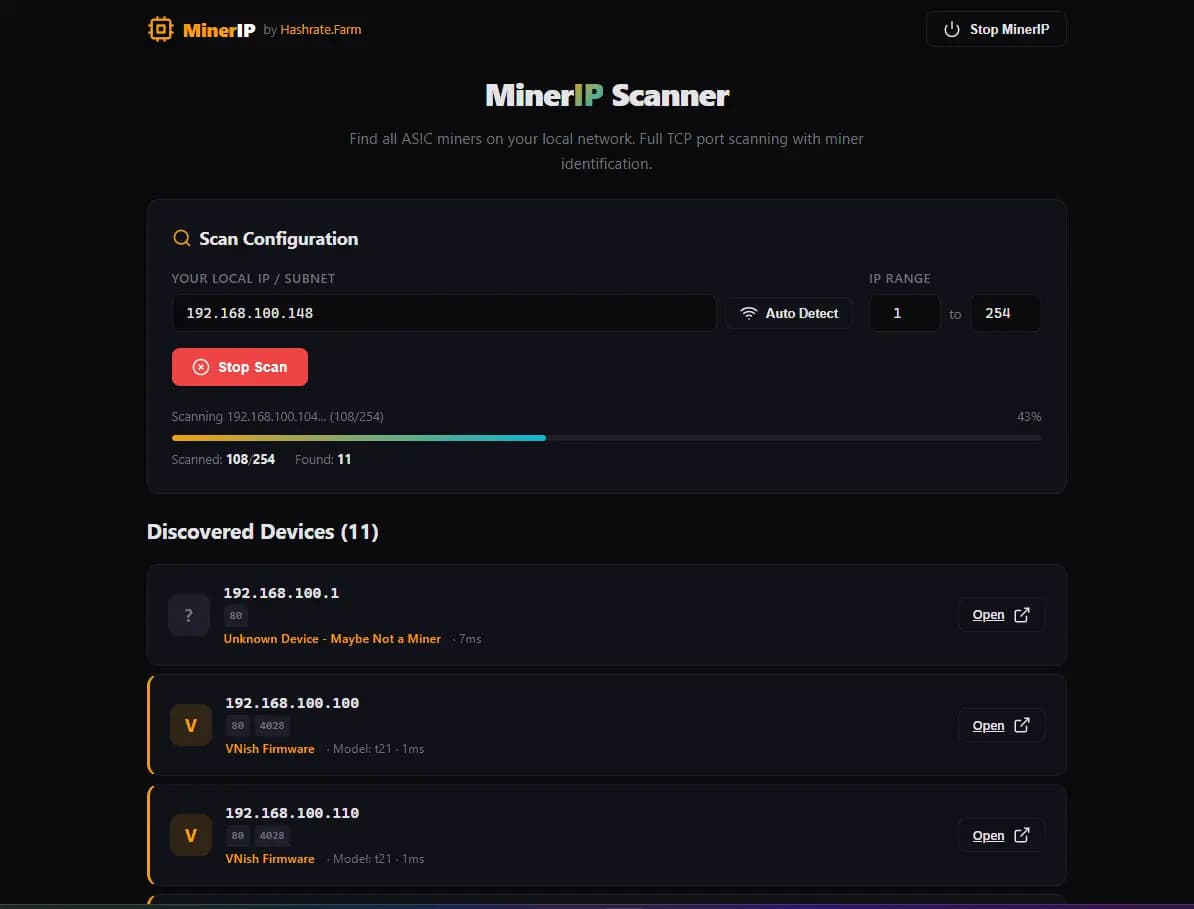
Step 1 — Find the miner on your network
Use MINER-IP as discovery tool. Open the miner IP in a browser (default login is often root/root— or admin/admin).
Step 2 — Open the pool configuration tab
In the Bitmain UI, go to Miner Configuration or Pool Settings. You will see three pool priority slots.
Step 3 — Enter MySoloPool Stratum details
Typical pattern (verify on the official page):
- URL:
stratum+tcp://btc.mysolopool.com:3334(or the alternate port listed by the pool) - Worker: your Bitcoin address
- Password:
xfor automatic VarDiff, or a fixed difficulty if the pool documents one
Set the same pool in backup slots with the secondary port if provided, or leave backups empty.
Step 4 — Save and restart
Click Save & Apply, then power-cycle if the UI does not restart hashing automatically.
Step 5 — Verify shares and hashrate
Within a few minutes you should see accepted shares locally. On MySoloPool, use the dashboard search with your BTC address to confirm the worker appears online.
Pro tip: Watch reject rate and chip temps first; a unstable LAN cable causes more “lost luck” than pool choice.
If something fails
- Ping the pool hostname from your network
- Confirm firmware is not blocking nonstandard ports
- Try the alternate Stratum port from the official docs
- Buy replacement hardware or hosting from Hashrate Farm if the unit is faulty
Related Resource
Solo Pool Setup Guide: Stratum URL, worker format, and vardiff settings for ASIC miners.
Tags
Author & editorial standards
Written by MySoloPool Editorial Team. Reviewed under our editorial policy for solo-mining accuracy, pool operations, and transparent fee disclosure.
Continue This Topic
Solo Mining Playbooks
Execution playbooks for setup, failover, and scaling decisions.
Trust Center
Operational transparency and support standards for solo miners.
Dashboard Search
Inspect workers and track stability signals using live dashboard views.
Getting Started Guide
Walk through clean setup flow and first-run validation checks.
Looking for mining hardware, hosting, or cloud mining? Hashrate Farm Blog has hardware reviews, profitability guides, and industry news.
Related Posts
MySoloPool's First LTC+DOGE Solo Block Is On-Chain
On 13 August 2026 our Scrypt solo pool solved Litecoin 3,159,431 and Dogecoin 6,330,706 in the same second. Here's the coinbase split, the explorer links, and where to point an L7 or L9.
MySoloPool Multi-Coin Solo Pools: BTC, BCH, LTC+DOGE, and ZEC Under One Brand
MySoloPool runs solo lottery stratum for Bitcoin, Bitcoin Cash, merged Litecoin+Dogecoin, and Zcash. One philosophy: wallet-as-username, fee on block find, live dashboards—pick your algorithm.
Zcash Solo Mining on MySoloPool: Equihash Setup for Z15 and GPU Rigs
Point Equihash miners at zec.mysolopool.com with your ZEC address as worker. Vardiff on :3330, NiceHash rentals on :3331, 3% fee on block find, live stats at zcash.mysolopool.com.